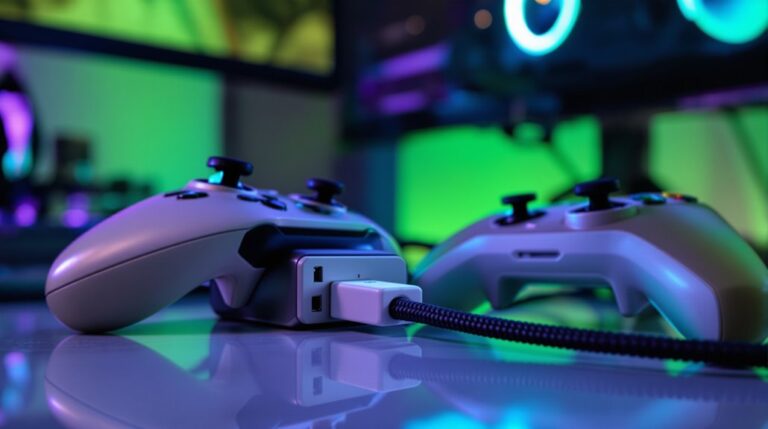
Do Xbox One Controllers Work on Xbox X? Yes, you can use your Xbox One controller on the Xbox Series X, wired or wireless, and it’s pretty straightforward.
Just plug in a USB cable for instant play, or pair via the Xbox button and the pairing button on the console for wireless.
If you’ve got a controller with the newer Bluetooth, it will pair just like any other device.
Want tips for smoother play and faster response times? You’ll find them here.
Can Xbox One Controllers Use Xbox Series X/S?

Yes, you can use Xbox One controllers on Xbox Series X or Series S. Just plug in and play, or use wireless options if you prefer, because compatibility is built in. For wired connection, use USB and keep playing without fuss. Bluetooth works on many models, so you can pair with a PC or phone for quick setups. The Series X|S consoles support older controllers, so your favorite grips and button layouts stay familiar and comfy. Just insert fresh batteries, press the Xbox button, and follow on-screen prompts for a smooth connect. You’ll enjoy quick setup and reliable play with friends nearby. Wired controllers eliminate potential battery and Bluetooth related failures for more consistent performance. Controllers with Hall Effect joysticks offer enhanced precision and reduced stick drift over time.
Pairing Xbox One Controllers With Xbox Series X/S: Step-By-Step Guide
Since your Xbox One controllers work on Series X/S, you can pair them quickly. Step 1: Turn on the controller with batteries, then press the Xbox button until it flashes. Step 2: On the Series X or Series S, press the Pair button to listen for a new device. Step 3: Within about 20 seconds, hold the Pair button on your controller for three seconds until the Xbox button flashes rapidly. Step 4: When the light settles steady, pairing is complete. If it takes longer, check the batteries first, then try again. You can test signal strength by moving the console and controller closer, then farther away, until the light stays solid. For faster pairing, use fresh batteries and calm testing. You’ve got this, all set.
All Xbox Wireless Controllers, including newer models like the Carbon Black 2025, support backward compatibility with Xbox Series X/S and offer enhanced features such as customizable button mapping and improved ergonomics.
Mechanical triggers typically provide faster response times compared to membrane triggers, enhancing in-game performance for precision play. Mechanical triggers are especially beneficial in fast-paced FPS titles where split-second reactions matter.
What Works, What Doesn’t, and Pro Tips for Xbox Series X/S Controllers

Good news for you: these controllers still work great on Xbox Series X and S, with easy pairing, smooth gameplay, and quick menus just like you remember. The good parts include familiar layouts and solid battery life, plus wireless options and Bluetooth for PC or mobile. You may notice ergonomic differences, especially if you switched from older models, but the grip still feels comfy in long sessions. Be aware of feature limitations, such as some advanced latency features not available on all consoles. For pro tips, keep fresh batteries, use the Pair button correctly, and update firmware when prompted. Hang out with friends locally or online, and enjoy seamless cross-generation play. You’ve got this, have fun gaming.
Frequently Asked Questions
Can I Use Standard Xbox One Controllers on Series X?
Yes, you can use standard Xbox One controllers on Series X. Backward compatibility lets your existing controllers work across generations, so you can keep playing without buying new hardware.
Do Series X Controllers Work on Xbox One Consoles?
Yes, Series X|S controllers work on Xbox One consoles. They offer improved comfort and features, and you can update their firmware to keep performance optimal, though some Series-only features may not be available on Xbox One.
Is Bluetooth Needed for Xbox One Controller on Series X?
No. Bluetooth isn’t required for the Xbox Series X. You can connect the controller via Xbox Wireless on Series X, or use a compatible adapter/dongle if you prefer. Bluetooth works for PC and mobile, but it isn’t needed for pairing on Series X today.
Will Elite Series 2 Work on Series X and One?
Yes, the Elite Series 2 works on both Xbox Series X and Xbox One. You can pair it easily, enjoy customization options, but be aware of drift issues and adjust the button mappings to suit your games without extra hassles.
Do Batteries Affect Pairing Speed on Series X?
Yes, battery power can affect pairing speed on Xbox Series X. Use fresh AA cells when you pair; battery type matters, and a higher charge level can help the controller pair more quickly, while low power can slow the process.
Conclusion
You can use your Xbox One controller with the Xbox Series X. Connect it with a USB cable for quick setup, or pair wirelessly for more freedom. If you run into trouble, restart both devices and press the pair button. You can still customize button mappings and play familiar games, making the upgrade smooth for game nights.